USPS lost package insurance claims
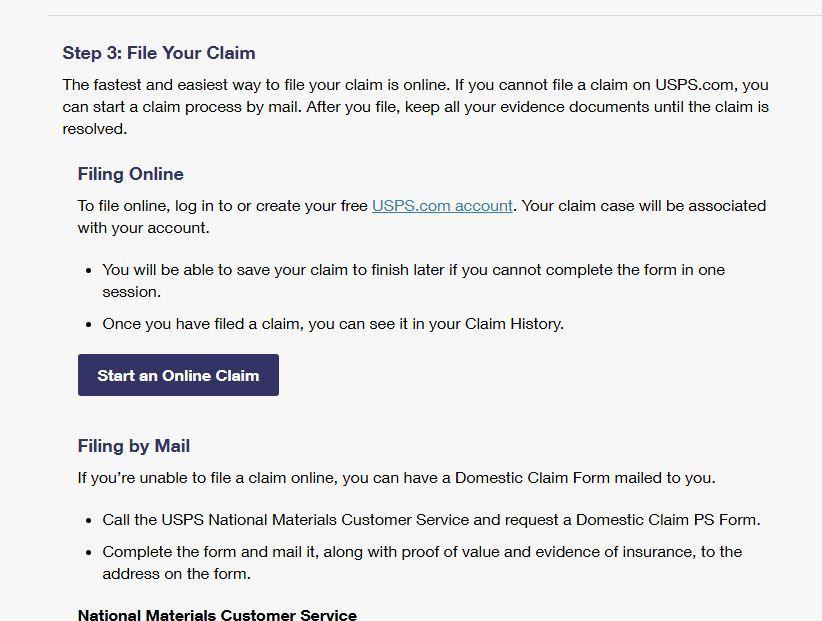
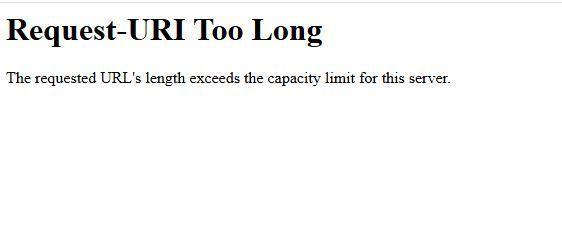
So I log into USPS to file lost package claims and check on ones already filed and I click on the button that says "start a online claim" and immediately get "Request-URI to long"
when I click on "claim history" I get the same Request to long.
been this way for several days, anyone else seeing this?

bashort
10 comments
bashort
OPso I can get in and look at history with firefox but On the first claim I filed when I hit submit it cranked and cranked then finally just logged me out for inactivity and that claim is not filed.
ltldpr
Maybe try the old, "Did you turn it off and back on?" Shut it all down. Close all tabs. Reboot the computer.
Could also try using Chrome Incognito or Private on Firefox. If those work, it's probably cookies and cache that need to be cleared from your regular Chrome or Firefox sessions.
bashort
OPtried firefox and it works!
Thanks everyone
a_c_green
No... I tested that just now and it's working normally for me. I'm on a Windows 10 box with Chrome browser.
What I think is going on, if that error message is to be believed, is that your browser is passing in a link that's sixty miles long for some reason, and their server can't parse it all.
I started at https://www.usps.com/help/missing-mail.htm and clicked the link there for Learn about claims. There I scrolled down to Step 3 ("File Your Claim") and expanded that to uncover the blue button for Start an Online Claim.
The initial link for that one is https://onlineclaims.usps.com/OICWeb/, but what seems to actually happen when you click on it is that your browser apparently adds a big ugly extension of command-line arguments that provide account info about you (and in turn you will be asked to log in to USPS.com if you have not already done so).
I'm not sure what your browser is doing at that moment, but I think the line that it's passing to USPS.com contains way too much information. I looked at mine, which does work, and by actual count, my Chrome browser is passing in 240 bytes (characters) on its address line. I suspect it wouldn't take too much more to overload the server on the receiving end.
Beyond a general cleanup, clearing cookies 'n' cache and that sort of thing, I am not sure what else to suggest. See if that helps... maybe try a different browser, or check that all your updates for operating system and browser are applied... good luck.
adamcartwright
@a_c_green
Yes -- A different browser is the remedy for me, as far as the USPS website goes.
a_c_green
Interesting; thanks. Which browser(s) fail in your experience? Chrome seems to be okay for me.
@bashort , which operating system and browser are you using? Mobile or desktop?
bashort
OPPC ,windows 10 pro, chrome
bashort
OPIt says that I can file by mail which I find very funny.
nobody*s_perfect
Try this:
https://www.usps.com/help/claims.htm
bashort
OPsame thing