Sent Offers
Where in the Seller Hub can I find the Offers I sent to a buyer? In the past, if you sent a buyer an offer you could easily see the offers you sent to a buyer(s). I can't locate this feature.

cardsforauction
2 comments
Where in the Seller Hub can I find the Offers I sent to a buyer? In the past, if you sent a buyer an offer you could easily see the offers you sent to a buyer(s). I can't locate this feature.
wastingtime101
To see active, open offers you sent, use the menu filters:
All filters > Offers > Send Offers - Sent
direct link: https://www.ebay.com/sh/lst/active?offers=checkOffersSent&source=filterpanel&action=search
linenandlaceltd
There are at least 4 places I know of you can access your offers.
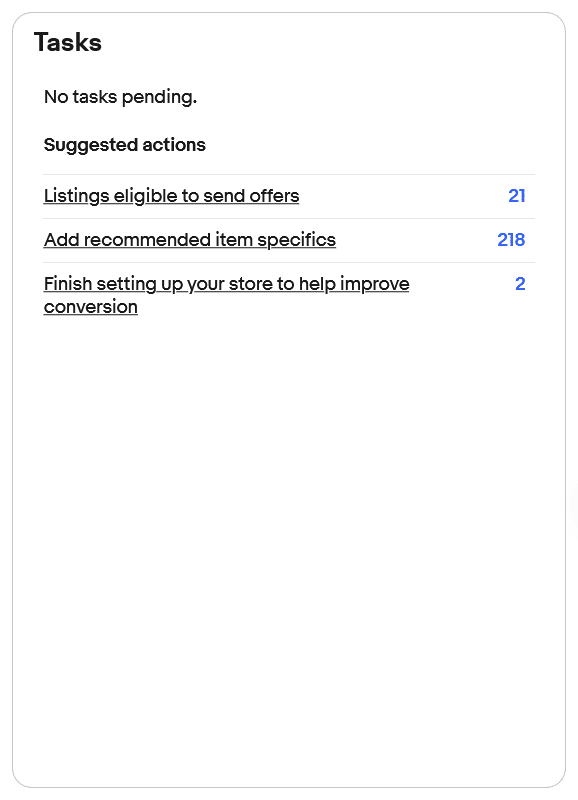 The first one is under Overview, in the Tasks section that looks like this.
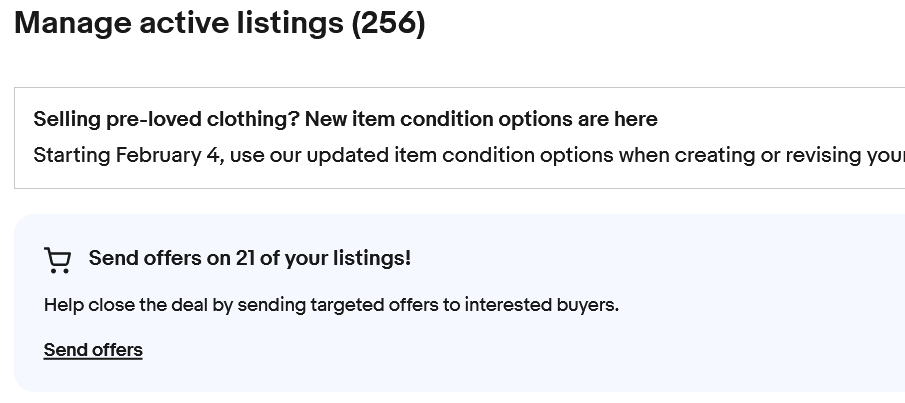 The second one is under Listings > Active and looks like this at the top of the screen, just under any eBay messages/announcements.
 The third one is under Performance > Traffic, right under your traffic graph.
On the Active Listings page, there's also a tab next to the search bar that says "Send offers - eligible". But that's a lot easier to overlook compared to the big blue banners.